 DeskPulse
How to track your crypto portfolio without giving anyone your keys
Most portfolio trackers want an exchange API key or a wallet address, then keep your holdings on their servers. If you just want to see “what is all of this worth right now”, there is a simpler and safer way.
The problem with connected portfolio trackers
Portfolio apps that sync with exchanges are convenient, but the trade-off is real: an API key that can read balances is a credential, a cloud account is a database entry with your name next to your net worth, and a wallet address pasted into a tracker links your identity to on-chain history. Several well-known trackers have had breaches. For a number you glance at a few times a day, that is a lot of exposure.
The manual, local approach
The alternative is old-fashioned: you type in how much of each coin you own, the app multiplies by the live price, and everything stays on your machine. It takes two minutes to set up and needs updating only when you buy or sell.
DeskPulse does exactly this. Holdings are stored in a local settings file and are never sent anywhere — the app only downloads prices.
Setting it up in DeskPulse
- Install DeskPulse and add your coins in Settings → Coins.
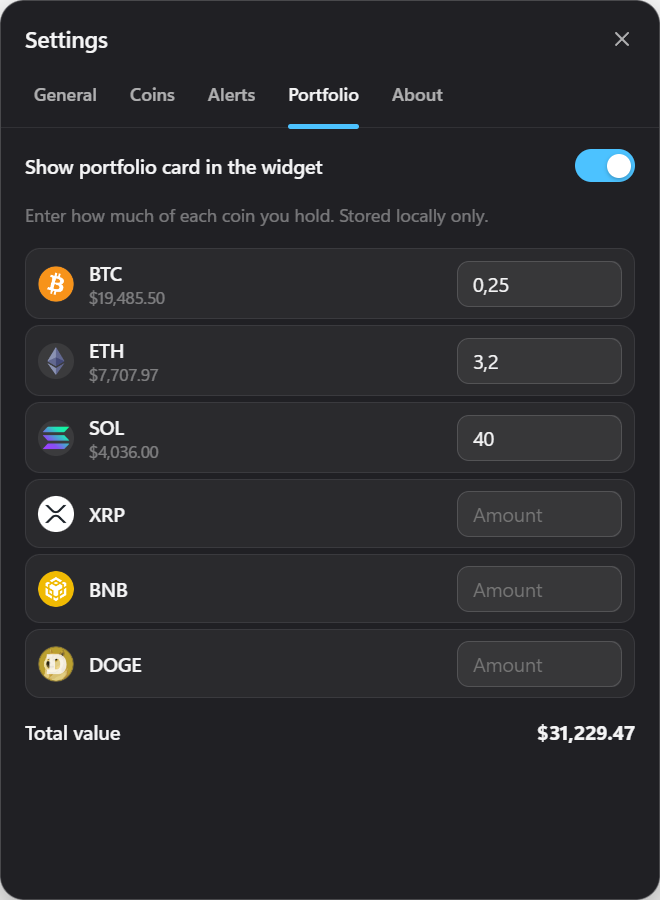
- Open Settings → Portfolio and enter an amount next to each coin. Fractions are fine: 0.031 BTC, 2.5 ETH.
- Switch on Show portfolio card in the widget.
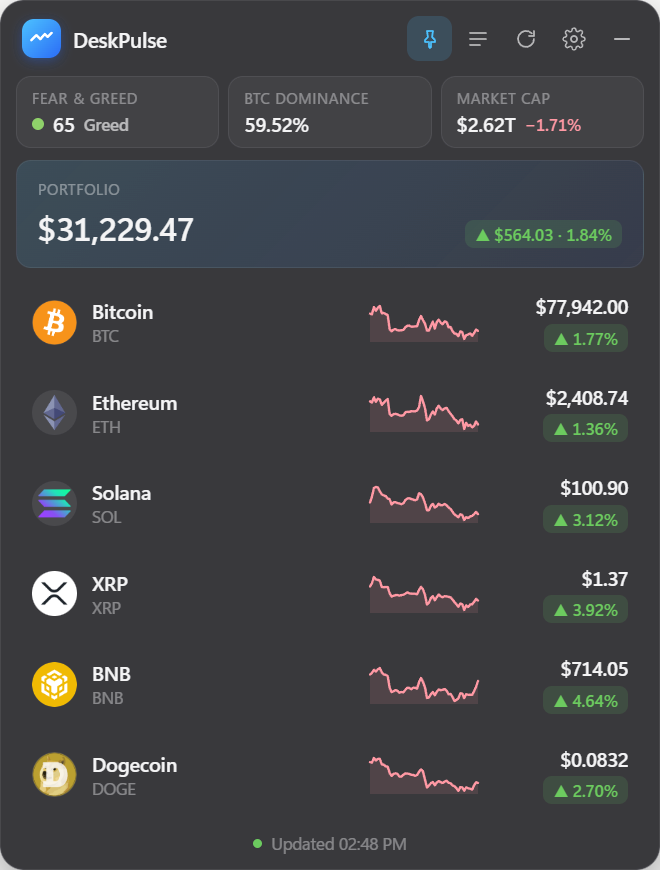
The widget now shows a portfolio card with the total value in your display currency and the 24‑hour change in both money and percent.
Privacy checklist for any portfolio tool
- Does it need an API key or wallet address? If yes, ask why a price display needs it.
- Where are holdings stored? Local file: good. Cloud account: your net worth is now someone else’s liability.
- Can you read the code? Open source lets you or anyone else verify there is no upload.
- Can you hide the number? A quick toggle matters for screen sharing and shared desks.
Limitations to know
A manual tracker does not know about trades you make, so update amounts after you buy or sell. It also shows current value, not cost basis or realised gains — for tax reporting you still need a proper ledger. What it gives you is the number that matters day to day, without a single credential leaving your PC.
Related: desktop price alerts and the best crypto widgets for Windows 11.