 DeskPulse
How to get Bitcoin price alerts on your Windows desktop
Phone push notifications are easy to miss and exchange alerts need an account. Here is how to get a Windows notification the moment BTC, ETH or any coin crosses a price you choose, using a free desktop widget.
Why desktop alerts instead of phone or email
When you are at your PC, a Windows toast in the corner is the fastest way to notice a move: it appears over whatever you are doing, it makes a sound, and it stays in the notification centre until you dismiss it. Email is slow and phone notifications are usually silenced during work. Exchange alerts work, but they require logging in to an account you may not want open on a work machine.
What you need
- Windows 10 or 11 (64‑bit)
- DeskPulse, a free open-source crypto widget (about 80 MB, no account)
- Windows notifications enabled for apps (they are by default)
Step 1: Install DeskPulse
Download the installer from the button below or from GitHub Releases, run it and pick an install folder. The widget appears on your desktop with a default list of coins.
Step 2: Add the coin you want to watch
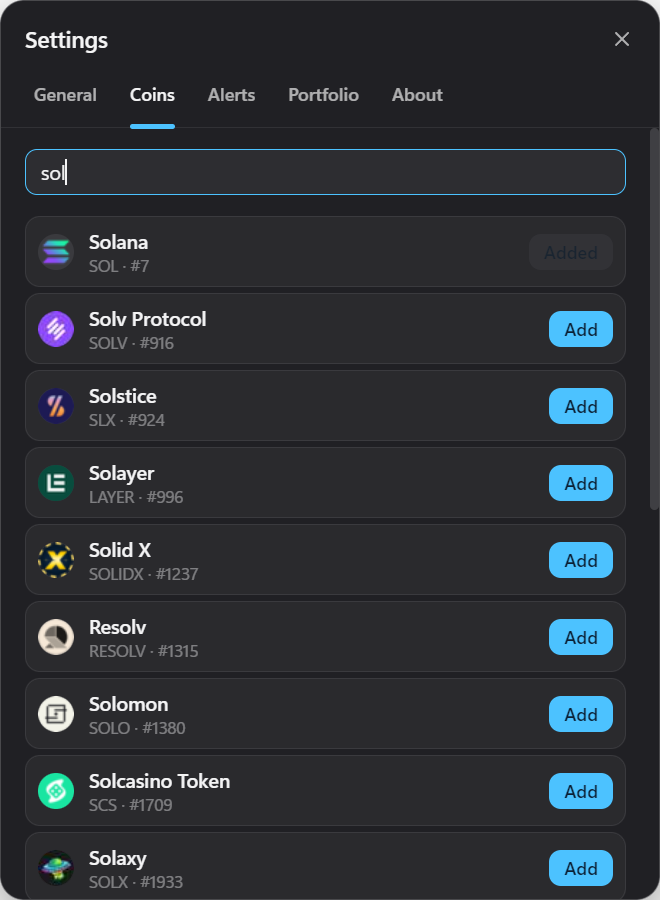
Open Settings → Coins, type a name or ticker such as bitcoin or BTC, and click Add. Any asset listed on CoinGecko is available.
Step 3: Create the alert
Go to Settings → Alerts. Choose the coin, pick above or below, enter the price and press +. The current price is shown as a placeholder so you know where you are relative to the market.
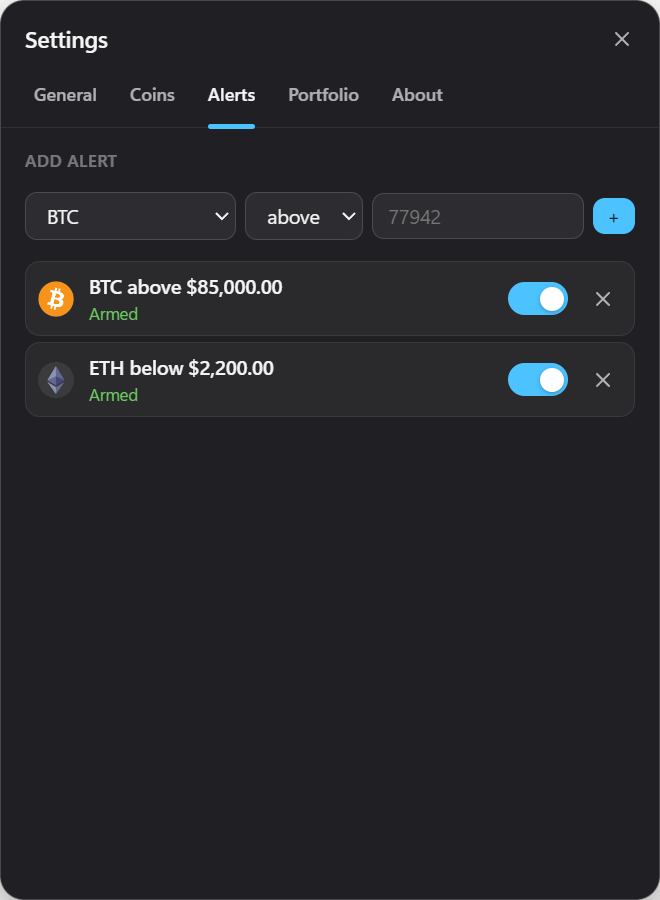
Alerts are evaluated every time prices refresh (every 10 seconds to 5 minutes, your choice). When the level is crossed, Windows shows a notification with the coin, the level and the current price. Clicking it brings the widget to the front.
Step 4: Hide the widget and get on with your day
Press the minimise button or Ctrl+Shift+D to hide the widget in the tray. Alerts keep working while it is hidden. Turn on Start with Windows in Settings → General if you want alerts armed from the moment you log in.
Tips
- Use two alerts as a bracket. One above and one below the current price catches a breakout in either direction.
- Alerts are one-shot by design. After firing, an alert switches off so it cannot spam you while the price hovers around the level. Flip the toggle to arm it again.
- Local currency levels. If your display currency is EUR or another currency, alert levels are in that currency too.
- Notifications not showing? Check Windows Settings → System → Notifications and make sure Focus Assist / Do Not Disturb is not silencing apps.
Frequently asked
Does this need an exchange API key?
No. DeskPulse reads public price data only. There is no place to enter keys.
How accurate is the price?
Prices come from CoinGecko’s aggregated market data and refresh roughly every minute on the free feed. That is ideal for alerts on meaningful moves, not for scalping.
Can I get alerts for altcoins?
Yes — any coin you can add to the widget can have alerts, including small caps.
Related: how to track your portfolio without sharing your holdings.